Video preview5s · 1080p
Video generation can take several minutes. Return to this page to check the same task.
16 credits per second
From the headland to the lighthouse door
The wide view of the lighthouse resolves into the keeper at the door. Around the middle, the two views briefly overlap despite the prompt asking for a continuous camera move.
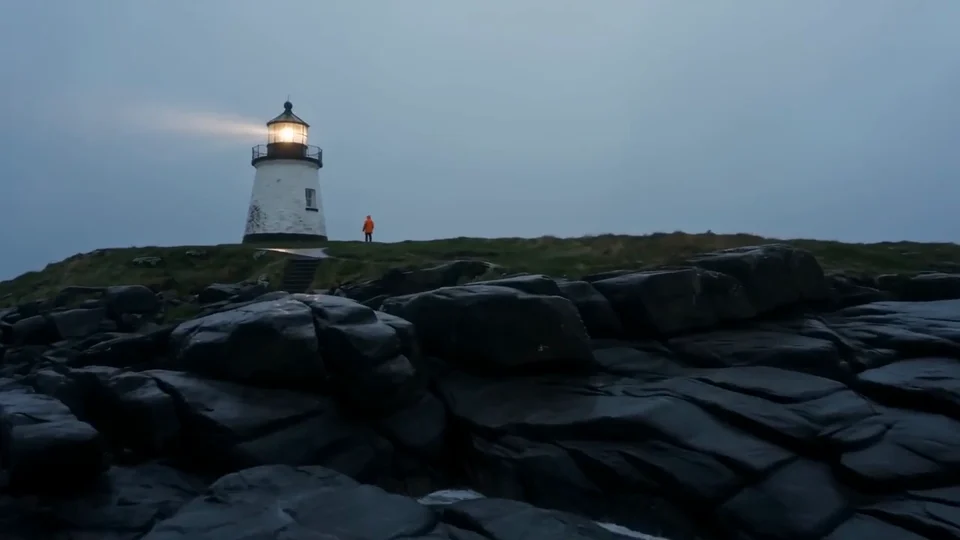
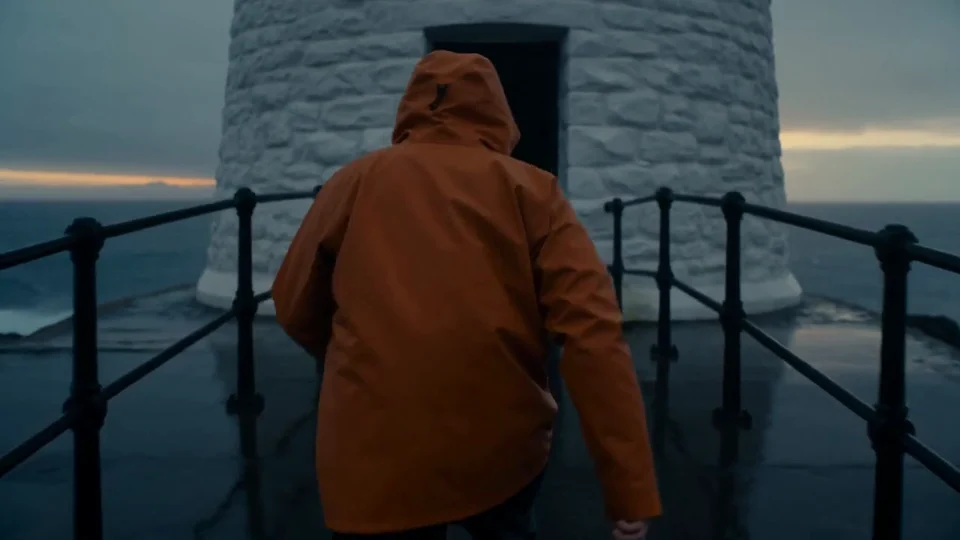
Prompt used for this example
Move forward in one continuous low tracking shot from the wide first image, following the rocky path to the same white lighthouse. Approach the keeper in the orange raincoat from behind, arriving at the railings beside the lighthouse door shown in the final image. Keep the cold sea light, no cuts or titles.Direct a transition between two images
1. Place the two frames
Choose the opening image and closing image separately. You can fill the slots in either order. Check each thumbnail before moving on.
2. Describe the movement
Write what changes between the two images. For a camera move, name the direction and where the camera should stop. Choose your duration and framing.
3. Check the middle of the shot
Play the result from start to finish. Watch for an unexpected blend or cut as the scene approaches the ending image. Download the take from the preview.
Common questions
- Which pictures work well together?
- Try two views of the same subject with similar lighting and aspect ratios. Matching landmarks give the transition a visible path to follow.
- Can I use just a starting image?
- This tool needs both endpoints. The homepage generator also offers a first-frame mode for a single image.
- Will the last frame match pixel for pixel?
- The image guides the ending composition. Compare the final view, textures and subject details with your source, especially when the two compositions differ.
- How does duration affect cost?
- Choose 4–30 output seconds. The Generate button shows the credit cost for your selection before submission. Sign in with sufficient credits to run the shot.