
How to write MAGI-2 dialogue and sound cues
On MAGI 2 AI, write one spoken line, quiet surf and a lamp click into a MAGI-2 prompt, then check the voice, mouth and sound timing.
On this page
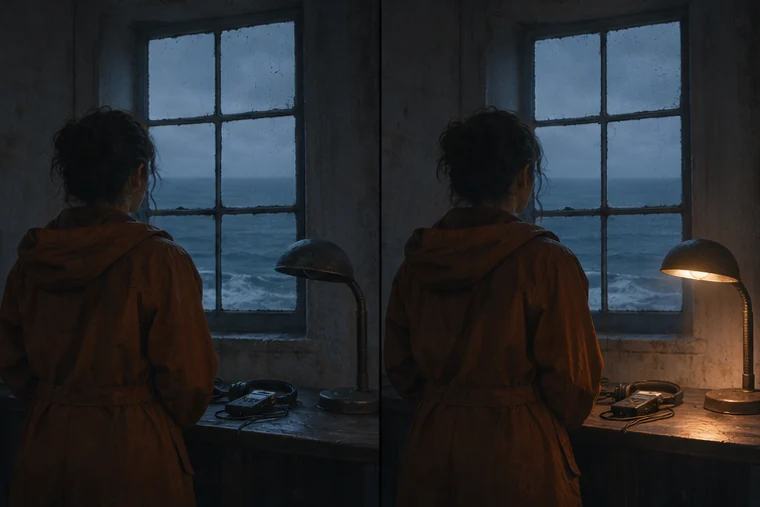
A lighthouse keeper takes the night shift. We need to hear her say “I’ll take the next watch,” then hear the desk lamp click on. The surf in the pause tells us we’re by the sea. If it covers the last word, we miss what she’s telling us.
Give the voice, the surf and the switch different jobs
| Sound | What to write in the prompt | What to listen for |
|---|---|---|
| Dialogue | Name the speaker, specify English and put her exact words in quotes. Ask for one calm delivery. | You can repeat the whole line after one listen. |
| Ambience | Put the surf outside a closed window. Keep it faint and steady through the scene. | The sea is audible in the pauses and the keeper still sounds close. |
| Action cue | Have her finish speaking, then flip the lamp switch. Ask for one dry click as the light comes on. | You hear a single click on the visible switch movement. |
Frame her face, hand and lamp together. A close-up of the bulb would show when the light comes on, but you’d lose the keeper’s mouth just when you want to check who’s speaking.
Copy the eight-second lighthouse prompt
On the homepage, select MAGI-2, choose 8 seconds and turn on Generate audio. Use Omni reference and leave the file slots empty for this text-only exercise on the MAGI-2 homepage.
Prompt
One continuous eight-second medium shot inside a lighthouse at dusk. A keeper in an orange coat stands beside a desk lamp. A closed window behind her looks out to sea. Keep her face in three-quarter view and the lamp switch within the frame. Faint surf is audible through the closed window. The keeper looks toward someone off camera and says once in English, calmly and clearly, “I’ll take the next watch.” Hers is the only voice. Keep the surf low enough to hear every word. She finishes the word “watch,” pauses for a beat, then flips the switch. Give the switch one dry click at the instant the bulb lights up. Hold on the warm light with only the faint surf. No music.
To adapt this scene, say your new line aloud at the pace you want. Leave enough time after the final word for the hand to move. If the line fills all eight seconds, shorten it or select a longer duration before trying the prompt.
Check the words by ear and the click by eye
- Listen once with your eyes closed. What did the keeper say? If “watch” gets lost in the surf, change just the ambience cue to “The surf is barely audible while she speaks and returns in the pause.” If there’s complete silence, check the player volume and the Generate audio setting used for that clip.
- Watch her mouth as you replay the line. If you hear a narrator while her lips stay still, replace the dialogue cue with “On camera, the keeper moves her lips and says ‘I’ll take the next watch’ in her own voice.” Keep her face visible through the last word.
- Replay the switch movement. Pause on the first frame where the bulb glows. A click during “watch” makes it sound as if she touched the lamp mid-sentence. For another take, specify “Her hand rests on the desk until she finishes speaking. She then flips the switch with one click.” If an edit needs frame-accurate sync, place a separate click on the light change in your editor.
Once the line and the click read clearly in one shot, you can cut to the lamp for the last beat. Plan where the new shot should start, then listen across the cut for continuity in the surf. Set up that next shot on the MAGI-2 homepage.